What's on my Smartphone?
My over-engineered home-screen setup, the apps I use, and the end of an era
Introduction
This was one of my earliest blog post ideas, as I always wanted to make one similar to the What’s on My Smartphone: 2017 video by MKBHD to showcase my love for third-party apps and customisation of home screen.
I remember putting an Aurora Borealis wallpaper on my first device, a tablet for “study” purposes duing my pre-college days. And then I shifted to Material Islands, a minimal but dynamic wallpaper app. I also had great fascination with custom launchers and the rich features that they provided against that usual android. It was finally in 2019, that I fixed upon a setup which I have continued to use till now. This blog will provide information of that setup with the frequent apps that I use and how all of this signifies the “end of an era”.
Home Screen
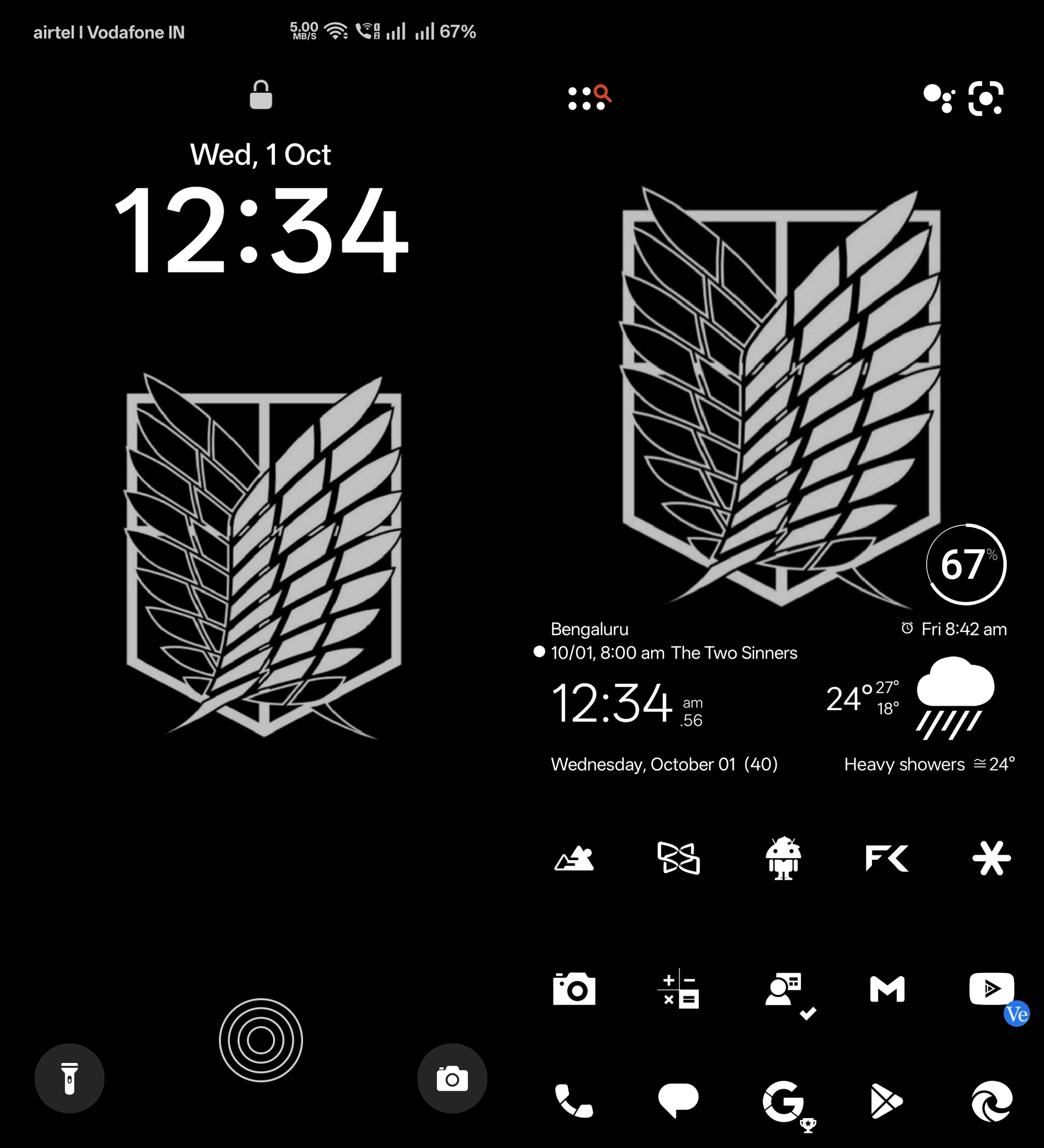 Lock-screen (left) and Home-screen (right)
- Launcher
- Nova Launcher† integrated with Sesame Search & Shortcuts†
- Wallpaper
- AoT Wings of Freedom by flyup on Wallpapers.com
- Icon-Pack
- Flight Pro - Flat Minimalist Icons†
- Widgets
- Weather, Time and Calendar widget by Transparent clock and weather
- Battery Circle - White widget by Flight modified using KWGT Kustom Widget Maker†
† indicates I bought a paid version of the app (free version also available).
Features
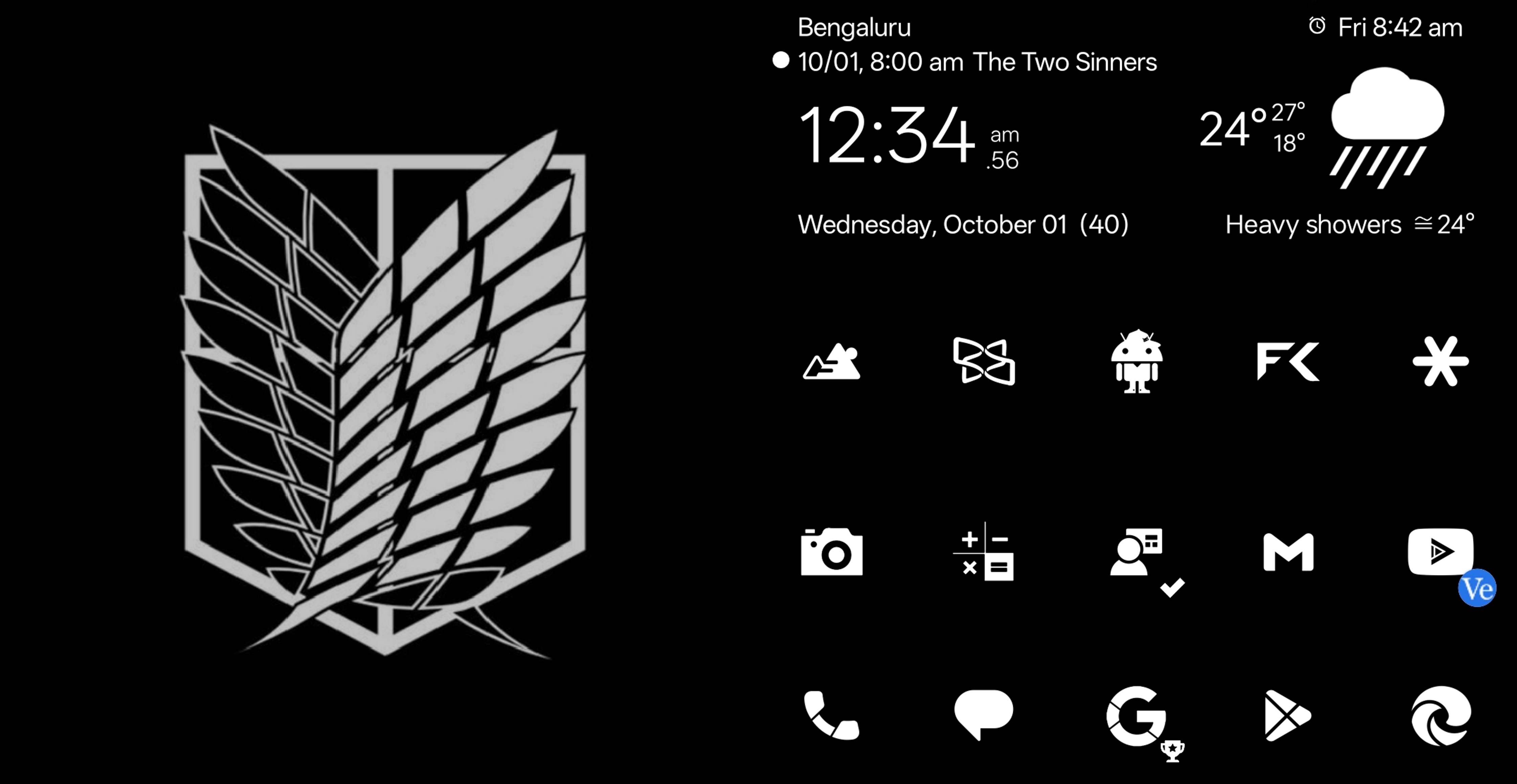
At first glance, the striking contrast of black and white might feel intense for some. Other than that, it may just look like a regular home screen. But thanks to Nova Launcher, it is actually heavily customised so that an unhealthy number of tasks are just one interaction away.
Widgets
Starting simple, the main widget shows the time, date, day, week number, upcoming alarm/event, temperature (high/low/feels like), and a short weather summary. With a single tap on respective areas of the widget, I can open the clock, calendar, weather app, or even toggle locations to check the weather for different cities.
Icons
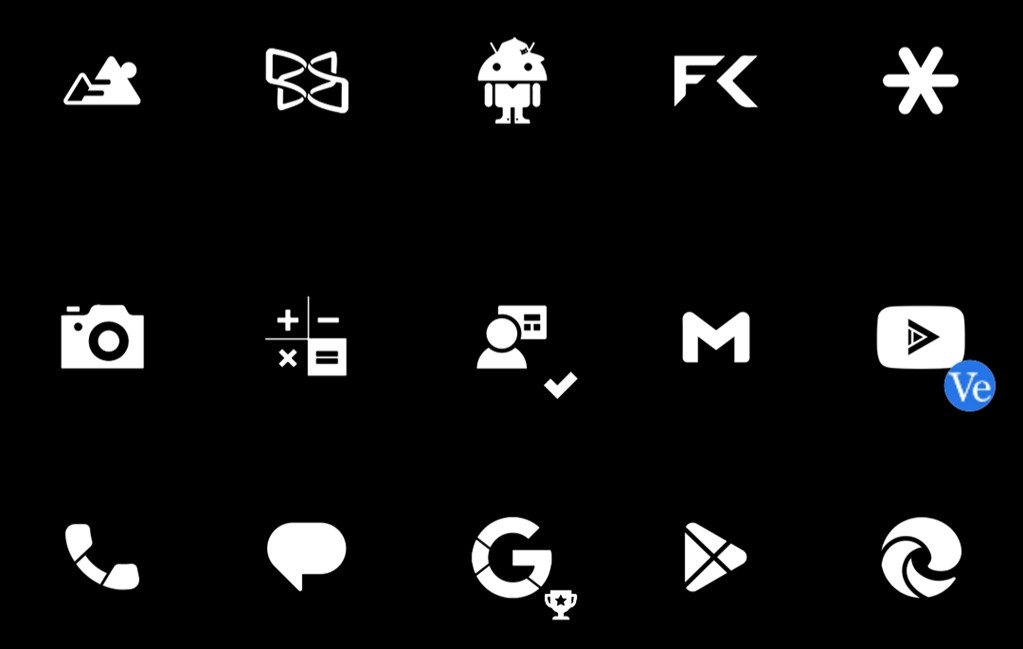 My Home-Screen icons (with main Dock)
Similarly, I can assign different actions to an icon depending on whether I tap, swipe up, or swipe down on it. These actions can be as simple as opening an app, folder, or they can trigger app-specific shortcuts for advanced usage. I have set up each of the above 15 icons, and the table below shows what happens when I swipe up, tap, or swipe down (in that order) on each one starting from the dock apps (bottommost row) and moving upward.
On the surface, 45 shortcuts \((15 \times 3)\) sounds like way too much to remember. But here’s the deal: the shortcuts are not random. In fact, they are designed to be intuitive.
For example, tap the icon and the camera opens. Swipe up? Gallery. Swipe down? Text scanner. Same with the icon; I can launch a regular calculator, a scientific one, or even a graphing calculator just based on how I interact with it.
| Icon | Shortcut |
|---|---|
 |
Speed Dial (swipe-up ) |
| Dialer (tap ) | |
| Speed Dial (swipe-down ) | |
 |
|
| Messages | |
| Contacts | |
 |
Nova Search |
| Google (Folder) | |
| Maps | |
 |
|
| Play Store | |
| App Drawer | |
 |
Chrome |
| Edge | |
| Edge (Work) | |
 |
Photos (Gallery) |
| Camera | |
| Adobe Scan (Text Scanner) | |
 |
HiPER (Scientific Calculator) |
| All-In-One Calculator | |
| Desmos (Graphing Calculator) | |
 |
Outlook (Work) |
| Work (Folder) | |
| Teams (Work) | |
 |
Scan & Pay to QR (Alternate UPI) |
| Gmail | |
| Scan & Pay to QR (Default UPI) | |
 |
YouTube |
| YovTube | |
| YT Music | |
 |
Default Food Delivery |
| Hyperlocal Commerce (Folder) | |
| Default Ride-Hailing | |
 |
eReader Prestigio (ePub Reader) |
| Xodo (PDF Reader) | |
| Adobe Scan (Recent Text Scans) | |
 |
Google Lens |
| Google Assistant | |
| Google Song Search (Shortcut) | |
 |
Google Files |
| FX File Explorer | |
| Google Drive | |
 |
Pairdrop |
| Security Stuff | |
| More Security Stuff |
Secondary Screens
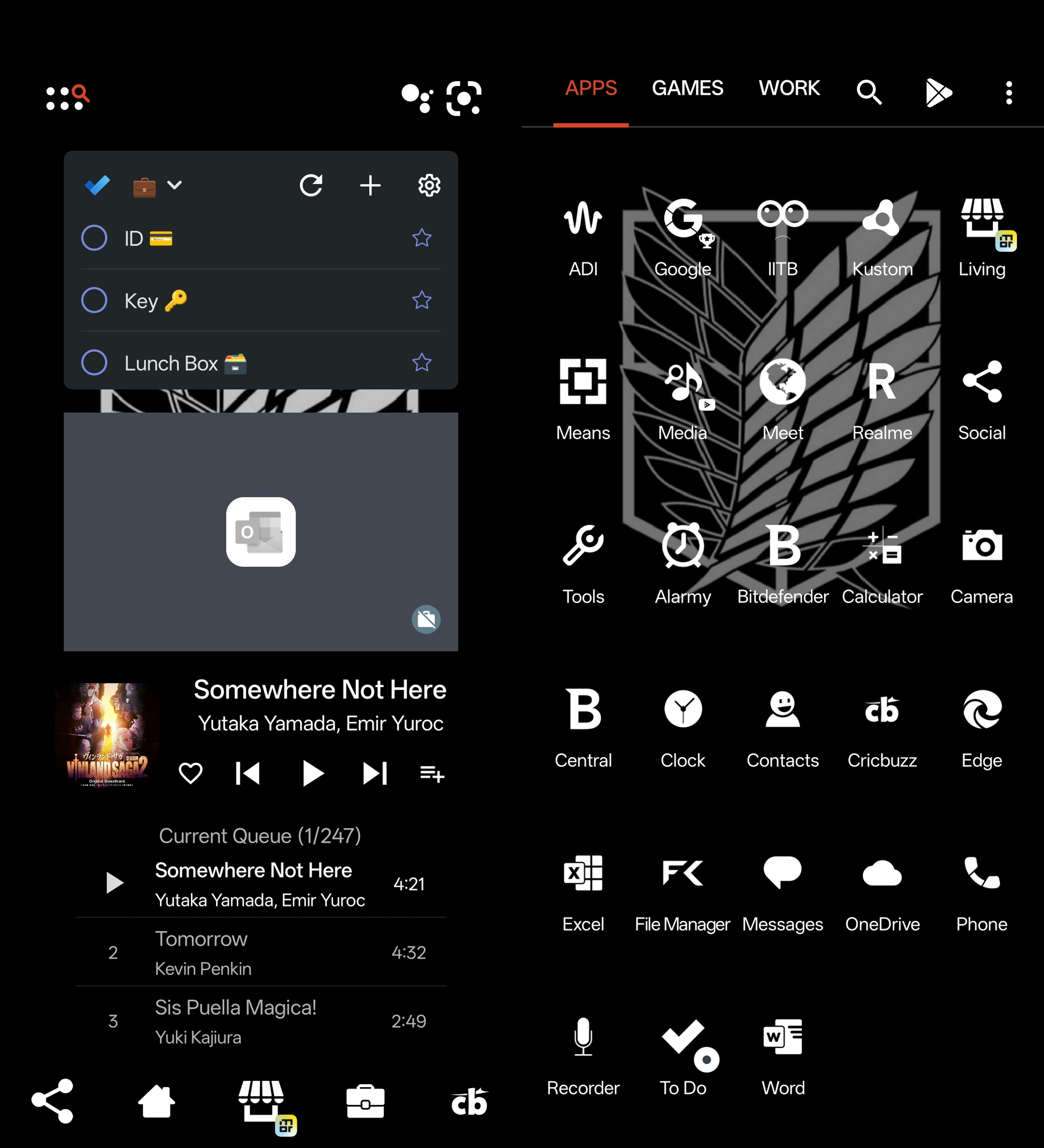
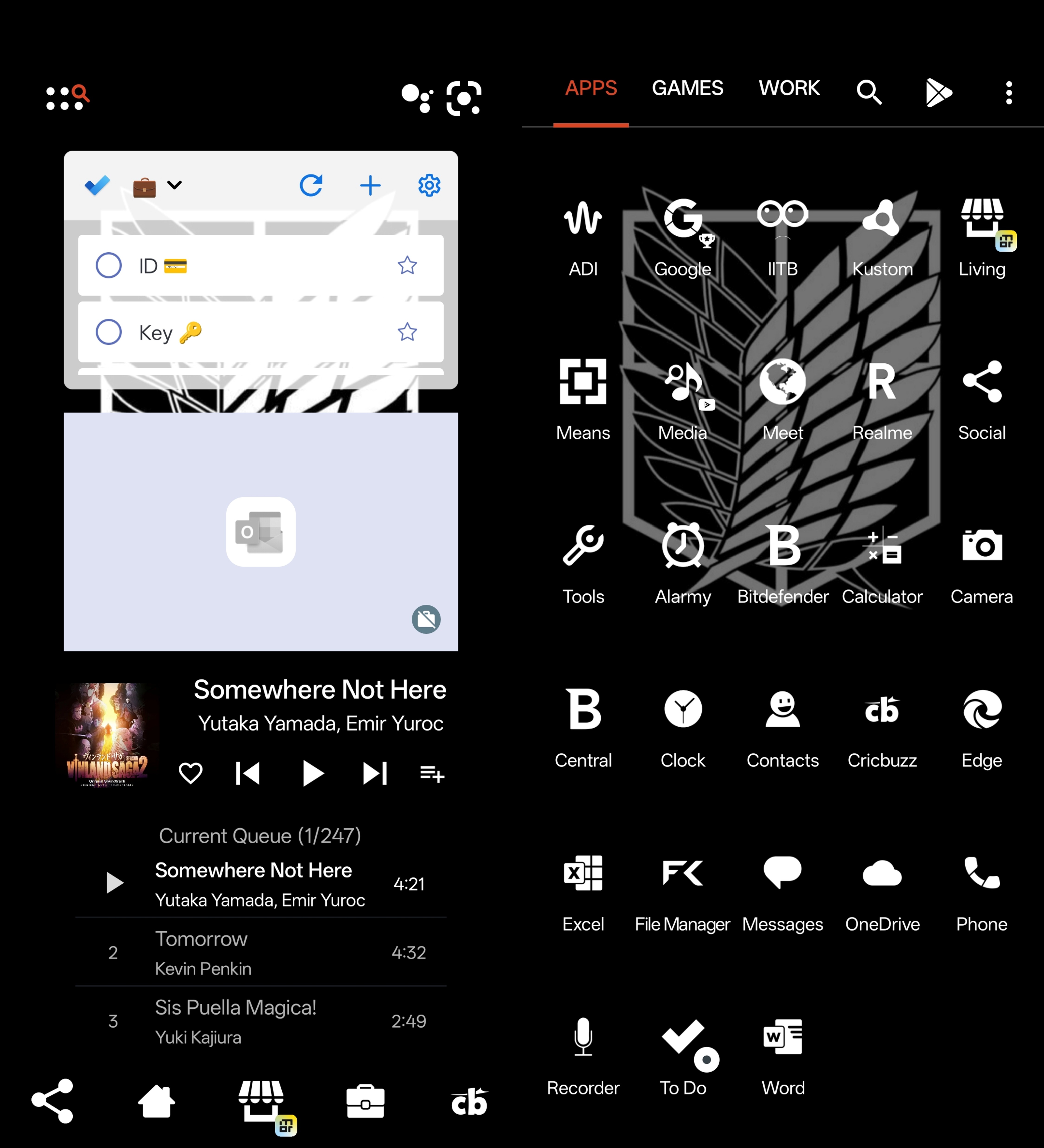 Secondary Home-screen (left) and App Drawer (right)
The layout of the other pages prioritises utility over aesthetics. The second home screen, which can be accessed by swiping sideways, has three widgets (daily essentials list, work emails, and music playlist). There is also a secondary dock page (you can swipe to it from the main dock) with more icons and shortcuts, though not as many; as technically, these interactions are two steps away due to initial swiping, and so they are not always faster than just searching for the app directly. Instead, this dock focuses on shortcuts that would normally take several taps even after opening the app. These shortcuts are summed up in the table below too.
As for the app drawer, all my apps are neatly organised there, but I almost never scroll through it. I mostly just use Nova Search, which searches everything at once.
Icons
 My secondary-Screen icons (with alternate Dock)
| Icon | Shortcut |
|---|---|
 |
|
| Social (Folder) | |
 |
Book a ride to Home |
| Maps (Directions to Home) | |
| Book a ride to Home | |
 |
|
| Utilities (Folder) | |
 |
Book a ride to Work |
| Maps (Directions to Work) | |
| Book a ride to Work | |
 |
|
| Cricket App | |
My Everyday Essentials (Since 2017)
Now, let’s come to the actual reason I wanted to write this blog; to showcase some great apps that I have stuck with since almost a decade that might help others too. You will notice that I tend to lean more towards third-party apps than pre-installed ones, and there are two simple reasons for that.
Firstly, such apps offer greater adaptability to the setup, so I can keep the same workflow even if I switch phones. Secondly, they are usually way to change home-screen, app drawar, folders, search, feed, etc. I simply recommend you try it out.more feature-rich than the default s anyway.
So, let’s get into the list.
Musicolet
As an offline music enjoyer, this app provides me with everything I want, from supporting tons of file formats, playing embedded/time-synchronised lyrics to even generating monthly/yearly recaps. It gives users a crazy amount of customisation options, whether it is the app interface or home-screen/lock-screen/notification widgets, or the super powerful capabilities to organise my local library.
And the best part? It is completely offline and doesn’t even need internet permission.
FX File Explorer†
A rare file app that doesn’t contains any advertisement or tracking, and is also feature-rich; what more does one need? Aside from its aesthetically pleasing user interface (UI), it offers handy features such as file sharing, cleaning tools, and advanced stuff like network/cloud access with FX Plus.
It has served me really well over the years, but ever since the Android 11 update, I have lost access to the Android/data folder (not the app’s fault!).1
Swiftkey
Been using it since before Microsoft bought it 😎. While the overall experience is fairly standard and nothing wildly different from other keyboards, there is literally just one feature that has kept me hooked: transliteration (not to be confused with translation). Using this, I can type in English and it automatically converts the text into other languages, so I never have to manually switch keyboards to type different languages.
Xodo | PDF Reader and Editor
Initially, I installed this app just because it could browse folders and preview thumbnails of all the PDFs inside them. But then I discovered true potential of this app. You could read PDFs in different modes (reading, single-page, double-page), switch colour schemes, toggle horizontal or vertical scrolling and that was just the viewing side.
On the editing side, it had a ton of annotation tools and powerful PDF restructuring features like reordering pages, editing page numbers, merging documents, and my all-time favourites: cropping and compressing PDFs. And all of that was free! No wonder then, that the team eventually nerfed it by putting some of those features behind a paywall in newer versions, which was still fine but they completely ruined the UI as well. So yes, I am staying on v5.0.22 for life (or at least until it inevitably breaks someday :).
All-In-One Calculator†
After trying a bunch of calculator apps, this one easily felt like the best. It handled unit conversions, time intervals and even did neat math/geometry stuff like prime checking, and calculating area/perimeter/volumes from sides/angles (and vice versa). But what impressed me the most was its support for up to \(100000\) digits, as I was successfully able to approximate \(26000!\). Sadly, they soon reduced its limits to only \(10^{308}\).
Anyway, they even listened to my feedback and added support for graphing and base conversion, which was pretty cool. So, years later, I finally purchased the lifetime version for all the value it had provided me. And then… they switched to a subscription model asking for ₹1200+ per year (who is paying that for a calculator app??) and completely revamped the UI. I thought that, just like Xodo, I would be stuck with an older version (v2.2.8 this time). But while writing this rant, I double-checked the pricing and saw they have reinstated the lifetime purchase option, which is now at ₹499, while still offering yearly subscription at ₹299. More importantly, I got to restore my purchase! Looks like it is time for me to get used to the new UI. Still, I will really miss the in-calculator dynamic switching between numeric bases :(
HiPER Calc Pro†
Hands down the best scientific calculator. It had loads of mathematical functions but what really impressed my JEE-conditioned brain was the clean expression mode and the fact that it could compute many integrals. And unlike All-In-One, it could originally calculate \(1000!\) digit-by-digit! Buuut, just like All-In-One, they later cut down the precision to just \(100\) digits. Still more than enough for normal use (and let’s not forget the exponent precision can go up to billions, implying that the app can represent \(10^{10^{10}-1}\), which is crazy), but I still wonder why they nerfed it.
Initially, the app had a few themes and the expression mode was locked for paid members. After my immature rant, the developers did something beautiful: they let users choose between a fully ad-free but slightly restricted version, or a fully functional version with ads. That’s the kind of choice consumers rarely get anymore. And, so I had to buy their paid version to support them.
A Digression
One of my core memories related to this app is getting hands-on experience with Reverse Polish Notation (RPN), aka postfix notation. A few months before I found HiPER Calc, I had watched this wild unboxing video of the Friden Calculator by the legendary Cliff Stoll. That thing from the 60s, was one of the earliest electronic calculators, it costed about $2000, and used RPN, basically a way to evaluate expressions without any brackets (while preserving the order of operations).
Then in Class 12, my CS teacher showed us how to convert infix notation to postfix notation, and I completely failed to appreciate at the time. It was while experimenting with HiPER that I was reacquainted with RPN and connected it with postfix notation, finally developing the appreciation for the concept.
After that, I went down a rabbit hole. I read an entire CS textbook in two days exploring core ideas, from Boolean algebra and Karnaugh maps to C++ syntax and data structures. Looking back, that phase really feels like a turning point. That’s when programming suddenly clicked for me, when I finally crossed the barrier that most beginners struggle with.
While I may not use these calculators much nowadays (thanks to Python’s numerous libraries and MATLAB’s symbolic computing capabilities), I will forever be grateful to these “calculators” for guiding me through my pre-programming days. Also, a shoutout to Desmos , which I did not mention in detail due to the increasing length of this post.2
Sesame†
Alright, back to apps. Not much to say about this one, it’s basically a universal search built into Nova. You can search for apps, settings, shortcuts, contacts, to-do lists, calendar events, and even stuff inside apps, like your YouTube subscriptions/watch later, Spotify playlists, Discord channels, Reddit subreddits and more. Just type, search, and instantly launch whatever you are looking for.
All this talk about calculators and advanced search optimisation… and you realise it might all become obsolete as AI keeps getting better.
Nova Launcher†
What can I say; the GOAT among launchers. It was my first online purchase, hard-earned by scraping together rewards3 for a year, and it still works almost like a charm. And if you thought I went overboard with icons shortcuts, that was just a drop in the ocean. Nova gives you so much more! Gestures, integrations, insane levels of customisation for the home screen, app drawer, folders, search, feed, widgets, everything. Seriously, just try it!
Of course, not everything is ideal, which brings us to the next section.
The Rise and Fall of Nova
Okay, time for another story!
Oh. My. God. So much had happened since I started writing this post. First, we got a new What’s on My Phone video by MKBHD, after five years! such timing!
Meanwhile, the whole Nova Launcher community went through an emotional roller-coaster, where they found out that Kevin Barry, the OG (and then the only) developer of Nova had left Branch (which acquired Nova in 2022), leading to stalled development, especially related to its the promised open-sourcing effort (PANIC).4
Then came an unexpected v8.1.3 update, which turned out to be a repackaged older build released to maintain compatibility with newer Android versions (calm).5 However, it introduced a few bugs (PANIC).
Amid all the chaos, news emerged that Instabridge acquired Nova and would actively maintain it (calm). They started off by fixing bugs,6 but also said they would introduce ads as part of a sustainable business model (PANIC). At least they confirmed that Nova Prime stays ad-free for now (calm).7
While these developments are recent, the launcher community never fully recovered from the gesture navigation feature introduced in Android 9, which made transitions between the Recent Apps screen and the Home screen choppy for third-party launchers.8 As a result of this downgrade, third-party launchers went from being decently popular to becoming a niche option.
End of an Era
If you noticed, almost every app I talked about, except Musicolet, has gone through some phase where it broke old features.
- some features became obsolete/irrelevant as tech moved forward.
- some features stopped functioning because newer operating system updates discontinued support.
- some apps deliberately removed free features after realising their initial business model was unsustainable.
- some apps were acquired by larger companies that altered their direction and broke earlier promises.
- some apps shifted to costly subscription models, in order to remain financially viable.
This suggests that my time with this carefully crafted setup is inherently limited. No matter how much effort I invest in it, this gradual decay in quality feels inevitable. Is this why we can’t have nice things?9
Can this “death” be at least delayed? — Maybe the only real way is to support the developers, talk about their apps, and help them stay sustainable. And maybe, just maybe, I have hyped you up enough to try a few of them yourself.
But this assumes delaying their death is even a good thing. Tech will evolve, new tools replace old ones. Maybe this isn’t decay, maybe it’s just change. And maybe, the next phase will be just as exciting in a different way.
Coincidentally, today marks 14 years since Nova was launched on the Play Store. I don’t know what it is with me and accidentally writing stuff on anniversaries (cough Knuth cough).
I wanted to end with something cliché like “Long Live Nova,” but the truth is that the golden era: where I proudly flexed Android’s customization prowess, is fading. Taking inspiration from Tom Scott’s monologue10:
These apps will die, and their features won’t come back; eventually, Android will break too; and so will everything else. Entropy will get us all in the end. But, that doesn’t mean we shouldn’t build things anyway. Just because something is going to break one day doesn’t mean it can’t have an effect that lasts into the future.
And I am sure Nova Launcher will stick around; if not on our phones, then at least in our hearts.
Footnotes
u/AD-LB (Reddit), “On Android R, no app can let you see what’s inside ‘Android’ folder anymore” ↩︎
Well, there’s another reason :) let’s see if you can figure out why I don’t want to make this post any longer. ↩︎
In case you are wondering, yes, I bought all my apps using rewards. It took yeaaarss! 😅 ↩︎
Kevin Barry, And thanks for all the Tempeh ↩︎
Brady Snyder, Android Authority and Google Support ↩︎
u/MorgothRB (Reddit), “Update 81018 (8.2.8) is out” ↩︎
Instabridge, “Nova Launcher: An Update” ↩︎
Malcolm II (Google Support), “Overview/gesture support for third party launchers?” ↩︎
Veritasium, “This is why we can’t have nice things”. ↩︎
Tom Scott, “This Video Has _ Views” ↩︎